- Creating a process monitor in AppSignal
- Configuring your application to send process monitors to AppSignal
Viewing process monitors
To view all of your app’s process monitors, click on the Process Monitoring overview via the AppSignal app navigation: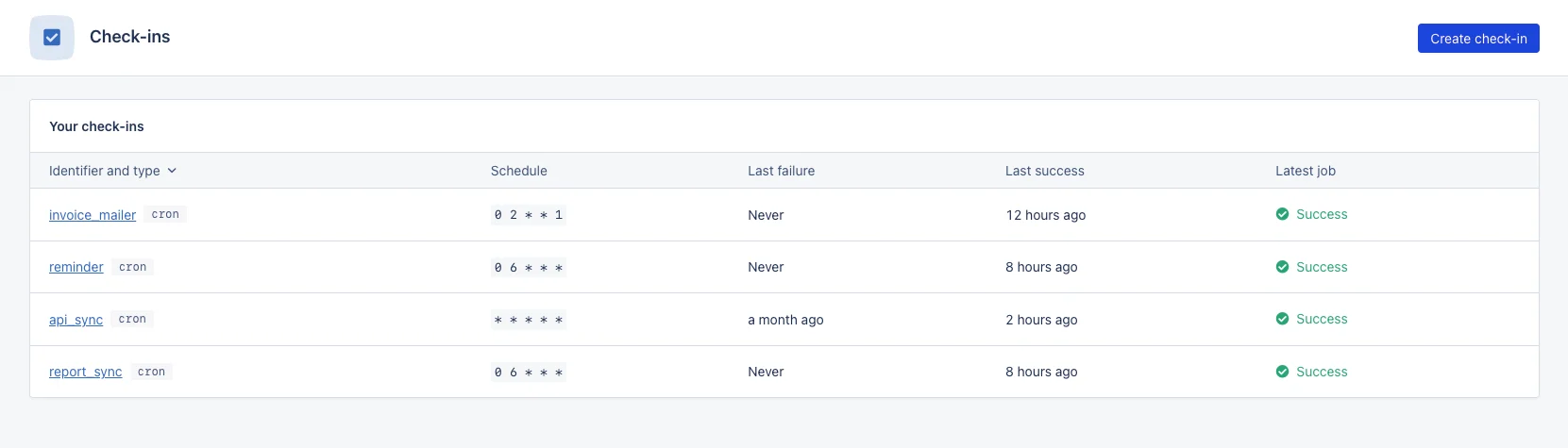
Statuses
The state of a process monitor will be that of its last occurrence. Process monitor occurrences will have one of the following statuses:
Late or missed process monitor occurrences are considered to have failed, and AppSignal will notify you that the process monitor has failed according to your process monitor’s settings.
Process monitor summary
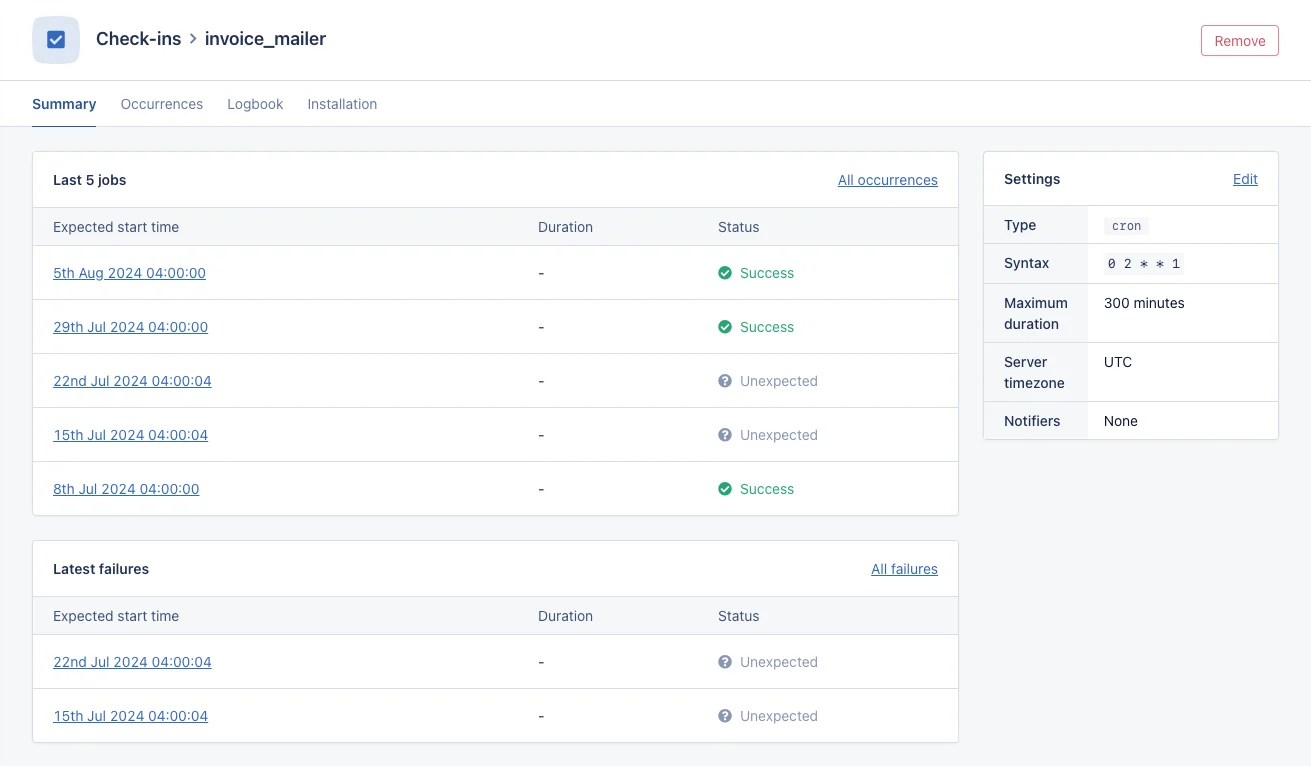
Clicking on the identifier of a process monitor will take you to an overview of:- The last five occurrences: The timestamps for the last five occurrences for the process monitor alongside their status.
- The last five failed occurrences: The timestamps for the last five missed or late process monitor occurrences.